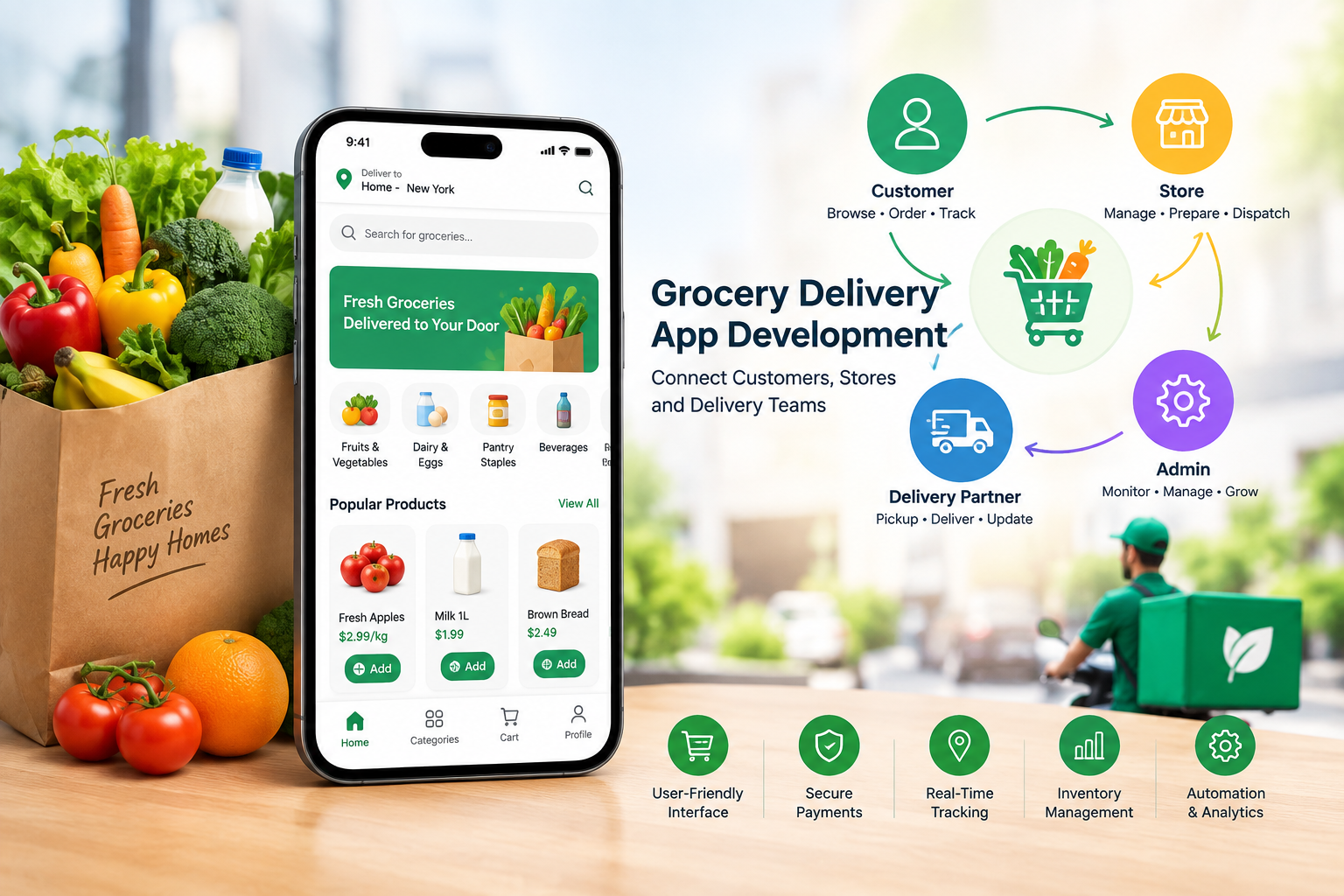
A grocery platform depends on several user roles working together. Customers place orders, stores manage products and prepare purchases, drivers handle deliveries, and admins monitor the complete operation. When these roles are not planned properly, even a simple first release can create order delays, incorrect information, access problems, and poor user experiences.
During grocery app development, founders can reduce these problems by identifying common release-one mistakes before development and testing begin. A clear role structure helps each user understand what they can access and what actions they are responsible for.
Giving Customers Too Many Features
One common mistake is adding too many customer features to the first release. Advanced recommendations, complex loyalty systems, subscriptions, social features, and extensive personalization can increase development work without being necessary for the basic ordering process.
The first version should concentrate on essential activities such as account creation, product browsing, search, cart management, checkout, payment, and order tracking.
During Online Grocery App Development , founders can separate essential features from future additions. This keeps the initial product focused while leaving room for later updates.
Creating Complicated Store Dashboards
Store employees need to process orders quickly. A dashboard with too many menus, reports, settings, and unrelated functions can make daily operations harder.
A release-one store panel should focus on product management, inventory availability, incoming orders, order acceptance, preparation, and pickup status.
The solution is to design the store experience around actual daily tasks. Unnecessary controls can be introduced later when the platform has more operational requirements.
Ignoring Inventory Accuracy
Incorrect inventory information can lead to customers ordering products that are unavailable. This creates additional work for store staff and can lead to cancellations or substitutions.
Founders should define who controls stock information before development starts. Depending on the business model, inventory may be managed by stores, central administrators, or an integrated inventory system.
For Grocery Shopping App Development, the system should also define what happens when an item becomes unavailable after an order has been placed.
Making Driver Workflows Too Complex
Drivers need quick access to delivery information. Requiring drivers to move through multiple screens before accepting or updating an order can slow down deliveries.
A release-one driver interface should provide assigned orders, pickup details, delivery information, status updates, and necessary navigation support.
Founders should also define what happens when a driver rejects an assignment, cannot reach the customer, or encounters an incorrect address.
Clear fallback workflows can prevent individual delivery problems from affecting the entire order.
Failing to Define Order Statuses
Another common mistake is creating unclear or inconsistent order statuses. If customers see one status while stores or drivers see another, the platform can become difficult to manage.
Before development, define the complete order lifecycle. A basic sequence could include order placed, confirmed, preparing, ready for pickup, picked up, out for delivery, and delivered.
Each status should have a clear trigger and responsible role. This makes the workflow easier to understand across the platform.
Giving Admins Unlimited Access
Admin users often require broad control, but giving every administrator unrestricted access can create unnecessary security risks.
Instead, founders can define different permission levels. For example, an operations administrator may manage orders and users, while a finance-focused administrator may access payment-related information.
During grocery app development, role-based permissions should be planned as part of the system architecture rather than added at the very end.
Forgetting Failed Payment Scenarios
Testing only successful payments is another common release-one mistake. Real customers may declined experience cards, interrupted payment sessions, duplicate attempts, or incomplete transactions.
The system should clearly distinguish between successful, pending, failed, canceled, and refunded payments.
The order should not be marked as confirmed simply because a customer reached the payment screen. Payment status and order status should communicate correctly with each other.
Poor Communication Between Roles
A grocery platform requires constant information exchange between customers, stores, drivers, and admins.
If a store accepts an order but the driver does not receive the appropriate update, delivery can be delayed. Similarly, if a driver changes an order status but the customer does not receive the update, the customer may contact support unnecessarily.
For Online Grocery App Development, founders should map which notifications are triggered by each major order event.
Not Testing Real-World Exceptions
Developers may test the normal order journey but overlook situations that occur in daily operations.
Examples include out-of-stock products, store rejection, driver unavailability, customer cancellation, payment failure, incorrect addresses, delayed preparation, and failed delivery.
These scenarios should be included in testing before release. Each exception needs a defined response so that users are not left with unclear instructions.
Building Each Role Separately
Another mistake is treating customer, store, driver, and admin applications as completely separate products.
Although each role has different functions, they all depend on the same underlying order and business logic. Changes made by one role should be reflected appropriately across the others.
For example, when a store marks an order as ready, the driver workflow should be able to respond to that event. When the driver completes delivery, the customer and admin views should update accordingly.
Skipping End-to-End Testing
Testing individual screens is not enough. A complete test order should move through every role before launch.
A tester can place an order as a customer, process it through the store interface, assign it to a driver, complete delivery, and then verify the information in the admin panel.
This process can reveal issues that isolated feature testing may miss.
Final Thoughts
Release-one mistakes often come from unclear responsibilities, excessive features, incomplete exception handling, and weak communication between user roles. A grocery platform needs customers, stores, drivers, and admins to work through a connected workflow.
By defining permissions, inventory responsibilities, order statuses, payment scenarios, delivery processes, notifications, and fallback actions before launch, founders can create a more manageable first release.
A focused approach to Grocery Shopping App Development allows businesses to establish the core ordering and delivery process first. Once that foundation is working properly, additional features can be introduced according to actual business and user requirements.