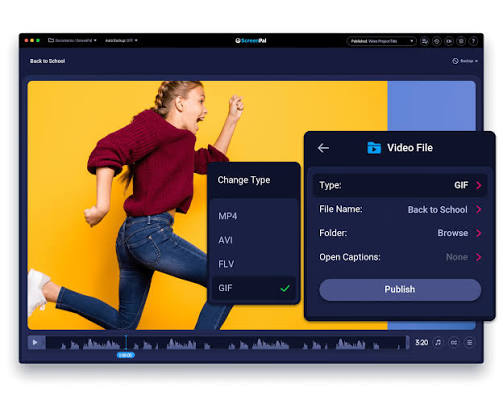
Audio formats play an important role in how music, podcasts, recordings, and other sound files are stored and shared. While WMA files were once widely used, MP3 remains one of the most compatible audio formats available today. For users who need to play older WMA files on modern devices, a WMA to MP3 converter can provide a straightforward way to change the file format without complicated software.
What Is WMA?
WMA stands for Windows Media Audio. It is an audio format developed by Microsoft and was designed to provide efficient compression while maintaining reasonable sound quality. WMA files became popular alongside Windows-based media players and were commonly used for music collections, recordings, and downloaded audio.
Although WMA can still be useful in certain situations, its compatibility is more limited than formats such as MP3. Some smartphones, web browsers, media players, car audio systems, and editing applications may not support WMA directly.
This limitation is one of the main reasons people choose to convert WMA files into MP3.
What Is MP3?
MP3, short for MPEG-1 Audio Layer III, is a compressed digital audio format that became widely adopted because of its combination of manageable file sizes and broad compatibility.
MP3 files can be played on computers, smartphones, tablets, portable music players, car stereos, smart TVs, and many other devices. The format is also supported by a large range of audio editing and media management applications.
Because of this broad compatibility, MP3 is often a practical choice when an audio file needs to be shared or played across different platforms.
Why Convert WMA to MP3?
There are several reasons why converting WMA files to MP3 can be useful.
Better Device Compatibility
One of the biggest benefits is compatibility. MP3 is supported by a much wider range of hardware and software than WMA. Converting an audio collection can make it easier to move files between different devices.
For example, an older WMA recording may not work correctly on a particular smartphone or car entertainment system. Converting it to MP3 can make the file easier to access.
Easier File Sharing
MP3 is commonly accepted by websites, applications, messaging platforms, and media players. This makes it convenient when sharing audio with friends, colleagues, clients, or other users.
Instead of worrying about whether the recipient's software supports WMA, an MP3 version is generally easier to distribute.
Convenient Audio Management
People who maintain large digital music libraries may prefer keeping their files in a consistent format. Having recordings and songs stored as MP3 can simplify organization and reduce compatibility problems.
A consistent format can also make it easier to transfer an audio library from an older computer to a newer device.
Useful for Editing Projects
Many audio editing programs support MP3 alongside other common formats. If an editing application does not recognize a particular WMA file, conversion can provide a compatible version that can be imported into the project.
However, users should keep the original WMA file if it is important because converting between compressed formats may affect audio quality.
How Does a WMA to MP3 Converter Work?
A typical online converter follows a simple process.
First, the user selects or uploads the WMA file they want to convert. The converter processes the uploaded audio and changes its encoding into MP3. Once processing is complete, the converted file can generally be saved to the user's device.
The exact options available depend on the converter. Some tools may provide settings related to bitrate, quality, or output preferences, while others are designed to keep the process as simple as possible.
The main advantage of an online converter is that users do not necessarily need to install dedicated desktop software.
How to Convert WMA to MP3 Online
Converting a WMA file can usually be completed in a few straightforward steps:
- Open a reliable online audio conversion tool.
- Select the WMA file stored on your computer or device.
- Choose MP3 as the desired output format.
- Start the conversion process.
- Wait for the file to finish processing.
- Download and save the resulting MP3 file.
The process can be particularly convenient when you only need to convert a small number of files and do not want to install additional software.
What Should You Consider Before Converting?
Although WMA to MP3 conversion is generally straightforward, there are a few factors worth considering.
Audio Quality
MP3 uses lossy compression, meaning some audio information may be removed during encoding. The amount of perceived quality loss can depend on the original WMA file, its bitrate, and the MP3 encoding settings.
For casual listening, a properly encoded MP3 can provide a good balance between quality and file size.
Bitrate
Bitrate affects both file size and audio quality. Higher bitrates generally create larger files and can preserve more audio detail, while lower bitrates reduce file size.
When choosing conversion settings, consider how the resulting file will be used. Everyday listening may require different settings from professional editing or archival purposes.
Original File Quality
Converting a low-quality WMA file into a higher-bitrate MP3 does not restore missing audio information. The output quality is influenced heavily by the original recording.
For this reason, it is useful to keep the original file whenever possible.
Online Converter vs. Desktop Software
Both online tools and desktop applications have their advantages.
Online converters can be convenient because they do not always require installation. They can also be useful when working from different computers or when you only need to convert files occasionally.
Desktop software may be more suitable for users who regularly process large numbers of files or require advanced audio controls. Dedicated applications can provide batch conversion, detailed encoding settings, and additional editing capabilities.
The right option depends on the number of files, required features, and personal workflow.
Common Uses for Converted MP3 Files
Once a WMA file has been converted to MP3, it can be used in many everyday situations.
Users may transfer MP3 files to smartphones for offline listening, add them to music libraries, play them through compatible car systems, or include them in presentations and other projects.
MP3 files can also be easier to share because of their widespread support. For people managing older audio collections, converting selected files can help make those recordings more accessible on newer technology.
Tips for Managing Converted Audio Files
Good file management can make an audio conversion project easier.
Create a separate folder for converted files so the original WMA files remain untouched. Use descriptive filenames that make it easy to identify the recording, artist, date, or other relevant information.
It is also useful to maintain backups of important recordings. If a file represents a valuable personal recording, historical material, or important project, keeping the original alongside the converted copy provides an additional layer of protection.
Avoid repeatedly converting the same file between different compressed formats. Each conversion can potentially introduce additional quality loss.
Is WMA to MP3 Conversion Safe?
The safety of online conversion depends on the tool being used and how it handles uploaded files. Users should choose established services, review available privacy information, and avoid uploading confidential or highly sensitive recordings to unfamiliar websites.
For non-sensitive audio files, an online converter can be a convenient solution. For private recordings or business material, users may prefer software that processes files locally on their own computer.
Final Thoughts
WMA remains useful for accessing certain older audio collections, but MP3 offers broader compatibility across modern devices and applications. Converting WMA files to MP3 can make music, recordings, and other audio content easier to play, transfer, edit, and share.
Whether you have a handful of older recordings or a larger digital library, choosing the right conversion method can simplify audio management. By considering compatibility, bitrate, quality, privacy, and file organization, you can create MP3 copies that fit your everyday listening and sharing needs.
For users looking for a convenient way to handle different audio formats, Lets Convert provides online conversion tools for a variety of file types.