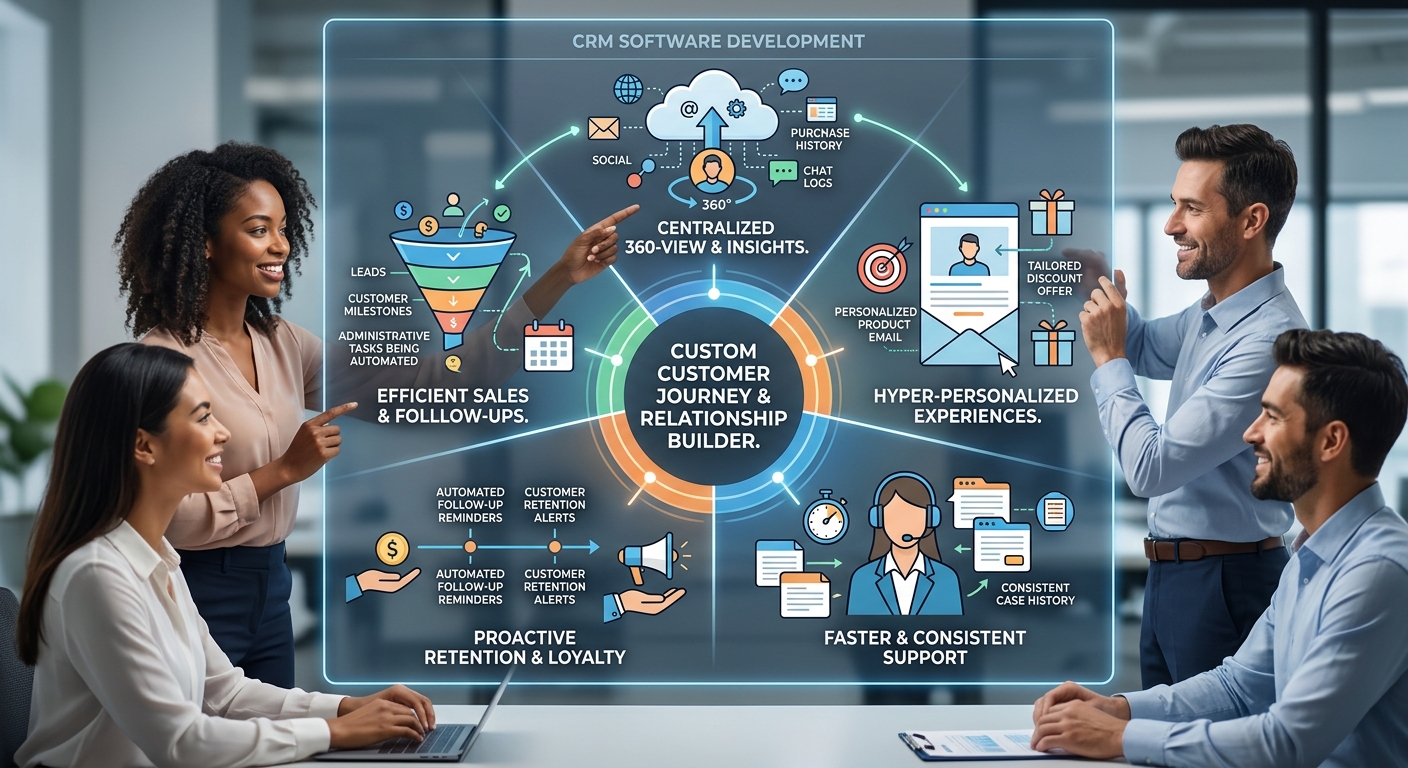
Building strong customer relationships is essential for sustainable business growth. Customers expect fast responses, personalized communication, reliable service, and convenient ways to interact with companies. Businesses that struggle to manage customer information or track conversations across different channels may miss sales opportunities and lose valuable customers.
Customer relationship management (CRM) software helps organizations organize customer data, manage sales activities, track interactions, and improve communication across teams. When implemented effectively, it provides a clearer view of the customer journey and helps businesses deliver more consistent experiences.
Although ready-made CRM platforms offer useful features, some organizations need systems that match their specific sales processes, service models, or reporting requirements. Custom software development services can help businesses create CRM solutions that align with their workflows and long-term objectives.
UnTitleTech helps businesses explore software development options that support better customer management, streamlined operations, and digital growth.
What Is CRM Software Development?
CRM software development involves creating or customizing applications that help businesses manage relationships with prospects, existing customers, and business partners.
A CRM system can store contact information, record customer interactions, track sales opportunities, schedule follow-ups, and provide reports about customer activity.
Depending on its features, CRM software may support:
-
Contact and customer database management.
-
Lead tracking and sales pipeline management.
-
Follow-up reminders and task assignment.
-
Customer support ticket management.
-
Email and communication history.
-
Sales forecasting and performance reporting.
-
Customer segmentation.
-
Integration with billing, marketing, and business applications.
The main purpose of CRM software is to help teams manage customer information consistently and use it to make better business decisions.
Why Businesses Need a CRM System
1. Centralize Customer Information
When customer details are scattered across spreadsheets, email accounts, and individual employees' devices, accessing accurate information becomes difficult.
A centralized CRM system gives authorized team members access to relevant records from one location. This helps reduce duplicated information and makes customer handovers easier.
2. Improve Lead Management
Businesses can lose potential customers when inquiries are not assigned promptly or follow-ups are forgotten.
CRM software can record incoming leads, assign them to sales representatives, track their status, and schedule reminders. This creates a more structured process for managing opportunities.
3. Personalize Customer Communication
Customers appreciate communication that reflects their needs and previous interactions.
A CRM system can help employees review relevant purchase history, support requests, preferences, and previous conversations before contacting a customer.
Personalization should still respect customer consent, privacy expectations, and applicable data protection requirements.
4. Strengthen Customer Retention
Acquiring new customers is only one part of business growth. Organizations also need to maintain relationships with existing customers.
CRM software can help teams identify customers who need follow-up, monitor service issues, and manage renewal or repeat-purchase opportunities.
5. Improve Sales Visibility
Managers need to understand how opportunities move through the sales pipeline and where deals are being delayed.
CRM dashboards can display lead sources, conversion rates, pending activities, and sales performance. This information supports more informed planning and coaching.
Custom CRM Software vs. Ready-Made CRM Platforms
Many businesses begin with an existing CRM product. Others require more specialized functionality.
| Factor | Ready-Made CRM | Custom CRM Software |
|---|---|---|
| Initial implementation | Often quicker | Requires planning and development |
| Upfront cost | Often lower | Depends on scope and complexity |
| Features | Based on the vendor's offering | Can be tailored to specific requirements |
| Integrations | Depends on supported connectors | Can be designed around required systems |
| Workflow flexibility | Limited to available features and configuration | Can support specialized processes |
| Maintenance | Often partly managed by the vendor | Requires an agreed maintenance plan |
| Best suited for | Common sales and customer management needs | Unique workflows or complex integration requirements |
A custom CRM is not automatically the better option. Businesses should compare their requirements, available budget, implementation timeline, integration needs, and long-term ownership costs before deciding.
When Should a Business Invest in Custom CRM Development?
A business may benefit from a customized CRM when its current tools create recurring operational problems.
Specialized Sales Processes
Some businesses use sales procedures that do not fit standard pipeline stages. For example, a manufacturer may require technical reviews and production estimates before confirming a customer order.
Custom software can support these steps and provide visibility into the complete sales process.
Complex Customer Service Requirements
Companies that manage different service levels, support teams, or customer contracts may need more detailed case management.
A tailored CRM can route requests, track service commitments, and help employees access relevant customer information.
Unique Reporting Requirements
Standard CRM dashboards may not include the metrics a business needs to evaluate performance.
Custom reports can combine selected sales, customer, and operational data to provide more relevant insights.
Integration With Existing Systems
Businesses may need CRM software to exchange information with accounting platforms, inventory systems, ecommerce applications, or internal databases.
A capable custom software development company can help assess the technical requirements and develop a suitable integration strategy.
Essential Features of Effective CRM Software
Contact and Account Management
The system should organize customer details, communication history, relevant documents, and account information in a structured format.
Access should be limited according to users' responsibilities.
Lead and Opportunity Tracking
Sales teams need a clear view of new inquiries, active opportunities, follow-up tasks, and progress toward conversion.
A visual sales pipeline can help employees understand what needs attention.
Task and Reminder Automation
Automated reminders can reduce the risk of missed follow-ups. The CRM may also assign tasks based on predefined rules or changes in lead status.
Reporting and Analytics
Reports can help managers review conversion rates, sales activity, customer retention, and other important indicators.
Metrics should be clearly defined so that different departments interpret them consistently.
Customer Support Management
For businesses that provide ongoing service, CRM software can record complaints, assign cases, track resolution status, and maintain a history of customer issues.
Role-Based Access and Security
CRM systems can contain sensitive business and customer information. Appropriate permissions, authentication, logging, and data protection controls are essential.
Integration Capabilities
A CRM becomes more useful when it can exchange relevant information with other business applications. Integration requirements should be identified during planning rather than left until the final stages.
How Web Applications Improve CRM Accessibility
A web-based CRM can allow authorized users to manage customer information through a browser. Depending on the system's design, employees may access the platform from an office computer, home workspace, or approved mobile device.
Businesses exploring best web application development services can consider web-based CRM platforms with features such as:
-
Centralized customer dashboards.
-
Sales pipeline visualization.
-
Customer service portals.
-
Appointment scheduling.
-
Reporting and analytics.
-
Team task management.
-
Integration with existing business systems.
The application should be designed for usability, secure access, and reliable performance. Responsive layouts can make it easier for employees to use the system on different screen sizes.
The Role of Mobile CRM Applications
Sales representatives, account managers, and field service employees may need customer information while travelling or visiting client locations.
A mobile CRM application can provide access to approved customer records, meeting notes, tasks, and sales updates from a smartphone.
Businesses considering mobile application development services can explore mobile CRM features such as:
-
Contact lookup and customer history.
-
Appointment and meeting reminders.
-
Lead status updates.
-
Call and meeting notes.
-
Task notifications.
-
Field sales reporting.
-
Synchronization with the central CRM.
Mobile CRM applications should include suitable authentication, secure data storage, and controls for devices that are lost or no longer authorized to access the system.
How CRM Automation Improves Productivity
CRM automation can reduce manual work across sales, marketing, and customer service.
Automated Lead Assignment
Incoming inquiries can be assigned according to predefined criteria, such as location, product category, team responsibility, or workload.
Follow-Up Reminders
The system can create reminders when a lead has not received a response within a defined period.
Customer Notifications
CRM workflows can trigger appropriate messages when a request is received, an appointment is confirmed, or a support case changes status.
Sales Reporting
Reports can be generated on a scheduled basis, reducing the need for employees to prepare recurring summaries manually.
Customer Service Escalation
Cases that remain unresolved beyond a defined threshold can be flagged for review or assigned to a senior team member.
Automation should include exception handling and human oversight. Incorrect rules can otherwise send inappropriate messages, assign tasks incorrectly, or create unnecessary notifications.
Step-by-Step Process for CRM Software Development
Step 1: Identify Business Requirements
Start by documenting how the company currently manages leads, customers, sales, and support requests.
Identify recurring problems, missing features, reporting needs, and the teams that will use the CRM.
Step 2: Map the Customer Journey
Outline the stages customers move through, from their first inquiry to purchase, onboarding, support, and repeat business.
This helps define which interactions the CRM should record and which workflows need automation.
Step 3: Define Essential Features
Separate essential functions from optional enhancements. A first release might focus on contact management, lead tracking, reminders, and basic reporting.
More advanced features can be introduced after the core system has been tested and adopted.
Step 4: Plan Integrations
Determine which systems need to exchange information with the CRM. Review available APIs, data formats, authentication requirements, and potential limitations.
Step 5: Design the User Experience
Create a clear interface that helps employees complete common tasks without unnecessary steps.
Involve future users in reviewing the design, particularly if the CRM will change existing sales or support procedures.
Step 6: Develop and Test
Build the system in manageable stages. Test permissions, data accuracy, workflow automation, integrations, performance, and error handling.
Use realistic scenarios to identify problems before the system becomes part of everyday operations.
Step 7: Migrate Existing Customer Data
Review and clean existing records before importing them. Identify duplicates, incomplete entries, and outdated contact details.
Test the migration and confirm that important records remain accurate.
Step 8: Train Employees and Launch
Provide practical training, explain new workflows, and make documentation available.
A phased rollout can help the business resolve early issues before making the system available to every team.
Step 9: Monitor and Improve
Review user feedback, adoption, workflow completion, and system performance. Update features as business needs and customer expectations evolve.
Common CRM Implementation Mistakes to Avoid
Choosing Features Before Understanding the Problem
A large feature list does not guarantee a useful CRM.
Better approach: Identify the most important customer management problems and prioritize features that address them.
Migrating Poor-Quality Data
Duplicate records and inconsistent information can undermine confidence in the new system.
Better approach: Clean, validate, and standardize data before migration.
Ignoring Employee Adoption
Employees may avoid a CRM if it is difficult to use or adds unnecessary administrative work.
Better approach: Involve employees during planning, simplify routine tasks, and provide training.
Over-Automating Communication
Excessive automated messages can frustrate customers and damage trust.
Better approach: Use automation for relevant updates and reminders, with appropriate controls for consent and message frequency.
Neglecting Security
Customer databases can be valuable targets for unauthorized access.
Better approach: Apply least-privilege access, secure authentication, monitoring, backup procedures, and regular security reviews.
Underestimating Maintenance
CRM systems need updates as integrations, business rules, and user requirements change.
Better approach: Plan for support, monitoring, documentation, and future enhancements from the beginning.
How to Measure CRM Performance
A CRM should be evaluated by its effect on business operations and customer relationships, not simply by how many employees have accounts.
Useful indicators include:
-
Lead response time.
-
Lead-to-customer conversion rate.
-
Follow-up completion rate.
-
Sales cycle duration.
-
Customer retention rate.
-
Customer support resolution time.
-
Employee adoption and satisfaction.
-
Accuracy of customer records.
Record baseline metrics before implementation and compare them with results after the CRM has been adopted. This helps identify where the system is delivering value and where additional improvements may be necessary.
Why Choose UnTitleTech for CRM and Business Software Development?
A useful CRM should reflect how a business manages relationships, communicates with customers, and measures sales performance. It should also fit existing systems and remain adaptable as the company grows.
UnTitleTech provides a starting point for businesses exploring custom software, web applications, and mobile development. Depending on project requirements, these services can support customer management workflows, application integrations, reporting, and other digital business needs.
Visit the UnTitleTech website to explore software development options for your organization.
Frequently Asked Questions
What is CRM software development?
CRM software development involves building or customizing applications that help businesses manage customer information, track sales opportunities, record interactions, and coordinate customer support.
Is custom CRM software suitable for small businesses?
It can be, especially when standard CRM products do not support essential workflows. However, smaller businesses should compare customization costs with existing subscription-based solutions before making a decision.
How much does CRM software development cost?
Costs depend on the required features, number of users, integrations, data migration, security requirements, and ongoing maintenance. A clearly defined scope helps produce a more realistic estimate.
How long does it take to build a CRM system?
A basic CRM may require less time than a complex platform involving multiple departments, advanced automation, and several integrations. The timeline depends on scope, data quality, testing, and stakeholder availability.
Can CRM software integrate with accounting and marketing systems?
Yes, when compatible integration methods are available. APIs and other connectors can allow approved information to move between CRM, accounting, marketing, and operational platforms.
Is customer information safe in a CRM?
Security depends on the application's design, configuration, hosting, and operating practices. Appropriate authentication, permissions, encryption, monitoring, and data protection procedures help reduce risk.
Conclusion
CRM software helps businesses organize customer information, improve sales coordination, provide more consistent support, and build stronger long-term relationships. By centralizing records and automating routine activities, organizations can reduce administrative work and make customer interactions easier to manage.
The right CRM strategy begins with clear business requirements, reliable data, suitable integrations, and a user-friendly interface. While ready-made platforms can meet many common needs, customized software may be valuable when a company requires specialized workflows or more control over how its systems operate.
UnTitleTech can help businesses explore custom software development services, web applications, and mobile solutions that align with their customer management goals.
Investing in the right CRM approach can help businesses improve customer experiences, strengthen internal coordination, and build a more scalable foundation for future growth.