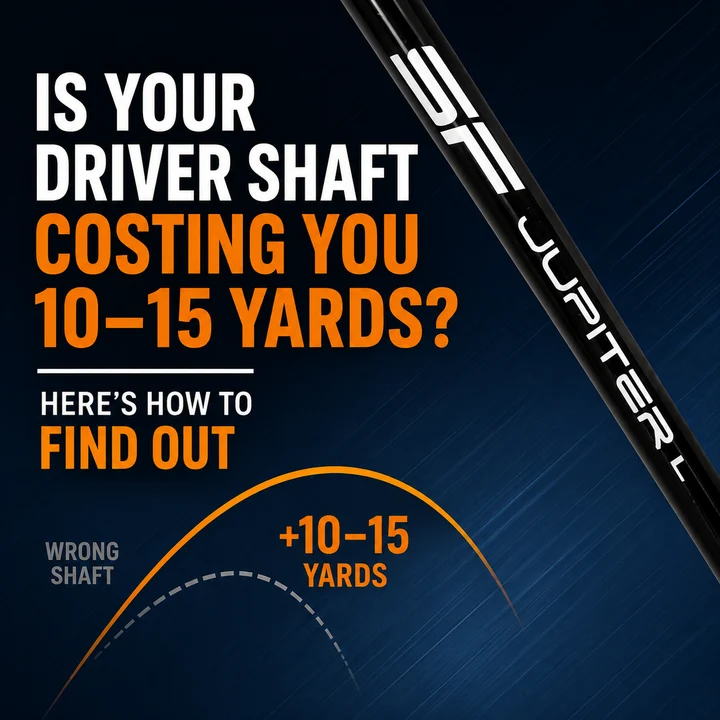
A driver shaft mismatch can affect your distance, accuracy, and consistency by influencing how you deliver the clubhead at impact. The wrong shaft weight, flex, or length may contribute to inefficient launch conditions or inconsistent contact. Some golfers may gain 10–15 yards with a better-fitting shaft, although results vary.
You step onto the tee with a new driver, expecting longer, straighter shots. The clubhead looks great, the technology sounds impressive, and everything seems right. But after several rounds, your drives still fall short of expectations.
Before investing in another driver, it's worth examining one important component: your shaft.
A shaft that doesn't suit your swing can make it harder to achieve consistent contact, predictable ball flight, and efficient distance. Understanding the warning signs can help you determine whether your equipment needs adjusting.
What Is a Driver Shaft Mismatch?
A driver shaft mismatch occurs when a shaft's flex, weight, length, or bending profile doesn't complement a golfer's swing characteristics. This can affect timing, impact consistency, launch conditions, and overall performance.
Your driver shaft bends and twists during the swing. Its characteristics influence how the club feels and how you deliver the clubhead to the ball.
For example, two golfers with identical swing speeds may benefit from different shafts. One might have a smooth, gradual transition, while the other accelerates aggressively from the top.
Although their swing speeds are similar, their preferred shaft characteristics may differ.
This is why choosing a shaft based only on a regular or stiff flex label isn't always enough.
What Are the Signs of a Wrong Driver Shaft?
The most common signs of a driver shaft mismatch include inconsistent driving distance, unpredictable ball flight, uncomfortable shaft feel, and difficulty achieving centered contact. However, these symptoms can also result from swing mechanics or driver settings, so proper testing is important.
1. Your Drives Fly Too High or Balloon
A driver that launches excessively high with too much backspin may produce less distance than expected.
High launch isn't necessarily a problem. Many golfers benefit from a higher trajectory, particularly when their swing speed is moderate.
However, excessive spin combined with inefficient launch conditions can reduce carry distance and rollout.
Shaft characteristics may influence how you deliver the clubhead, but ballooning shots can also result from strike location, dynamic loft, or swing technique.
A launch monitor can help identify the underlying cause.
2. Your Drives Consistently Fade or Slice
If your drives frequently curve right as a right-handed golfer, your clubface is typically open relative to your swing path at impact.
An unsuitable shaft may influence your timing and delivery, potentially contributing to inconsistent face control.
However, a shaft that's too stiff doesn't automatically cause a slice.
Before changing equipment, examine your swing path, clubface angle, and impact location.
If these factors are reasonably consistent but your driver still feels difficult to control, testing another shaft profile may be worthwhile.
3. Your Driver Feels Difficult to Swing
A properly fitted shaft should feel comfortable and predictable throughout your swing.
If your shaft feels excessively heavy, unusually stiff, or difficult to time, it may not suit your natural tempo.
Some golfers struggle to sense the clubhead during their downswing. Others feel they must swing harder than normal to achieve their usual distance.
These sensations can indicate a potential fitting issue, although they aren't definitive proof.
Comparing different shaft weights and flex profiles can help identify a more comfortable setup.
4. Your Driving Distance Is Inconsistent
One drive carries 250 yards, while the next travels only 220 yards despite a similar swing.
Occasional variation is normal, but repeated inconsistency deserves attention.
A driver shaft mismatch may contribute to inconsistent timing or contact, affecting ball speed and distance.
However, off-center strikes, spin differences, and swing delivery can produce similar results.
Focus on average carry distance and shot dispersion rather than judging your equipment by one exceptional drive.
Can the Wrong Driver Shaft Really Cost You 10–15 Yards?
Yes, an unsuitable driver shaft can contribute to lost distance. Some golfers may gain 10–15 yards after switching to a better-fitting shaft, particularly when their original setup causes inconsistent contact or inefficient launch conditions. However, improvements depend on individual swing characteristics and aren't guaranteed.
Driver distance depends on several important factors.
- Clubhead speed: How fast the driver moves at impact.
- Ball speed: How fast the golf ball leaves the clubface.
- Launch angle: The angle at which the ball begins its flight.
- Spin rate: The amount of backspin generated at impact.
- Strike location: Where the ball contacts the clubface.
- Carry distance: How far the ball travels before landing.
A suitable shaft can help some golfers achieve more repeatable results across these measurements.
For example, a golfer using a shaft that feels too heavy might achieve better speed and contact consistency with a lighter alternative.
Another golfer may benefit from a different bending profile that makes timing easier.
The important point is that distance improvements should be measured rather than assumed.
What Happens If Your Driver Shaft Is Too Stiff?
A driver shaft that's too stiff for your swing may feel difficult to load or uncomfortable during the transition. Depending on your swing, this can affect timing, strike consistency, and launch conditions.
Golfers with smoother transitions sometimes prefer shafts that provide a more noticeable loading sensation.
An excessively firm shaft may feel rigid or difficult to control for certain players.
However, stiffness alone doesn't determine whether a shot will launch low, slice, or lose distance.
If your current shaft feels uncomfortable, compare different stiffness profiles while monitoring ball speed, carry distance, and dispersion.
The goal is to find a shaft that complements your swing rather than simply choosing a softer flex.
What Happens If Your Driver Shaft Is Too Flexible?
A shaft that's too flexible for your swing characteristics may contribute to inconsistent timing or unpredictable shot patterns.
Golfers with aggressive transitions sometimes prefer firmer profiles that provide a more controlled feel.
However, flexible shafts don't automatically produce hooks, excessive spin, or ballooning drives.
The results depend on how the golfer responds to the shaft during the swing.
If your current driver feels unstable, testing a firmer alternative can help determine whether the change improves contact and consistency.
Which Driver Shaft Specifications Affect Distance and Accuracy?
Five shaft specifications deserve attention when selecting a driver: flex, weight, torque, bending profile, and length.
1. Shaft Flex
Flex describes how much a shaft resists bending under load.
Common categories include senior, regular, stiff, and extra stiff.
However, flex ratings aren't standardized across all manufacturers. A stiff shaft from one brand may feel or perform differently from another.
2. Shaft Weight
Shaft weight influences overall club feel and swing characteristics.
A lighter shaft may help some golfers increase clubhead speed or swing more comfortably.
However, choosing a shaft that's too light may affect timing and contact consistency.
The ideal weight balances potential speed with reliable control.
3. Shaft Torque
Torque describes a shaft's resistance to twisting under an applied rotational force.
Lower-torque shafts generally resist twisting more than higher-torque alternatives under comparable conditions.
Torque can influence shaft feel, but lower torque doesn't automatically guarantee straighter drives.
Accuracy depends on the complete driver setup and the golfer's delivery.
4. Shaft Bending Profile
A shaft's bending profile describes how stiffness varies along its length.
Different profiles may feel more responsive or stable to different golfers.
Although bending characteristics can influence launch conditions, the actual results depend on the golfer's swing.
5. Shaft Length
Driver length can influence both swing speed and strike consistency.
A longer driver may create additional clubhead speed, but it can also make centered contact more difficult.
For some golfers, a slightly shorter driver improves consistency and average distance.
How Do You Choose the Right Driver Shaft for Your Swing Speed?
Choosing the right driver shaft begins with understanding your swing speed, tempo, transition, and preferred club feel. Swing speed helps narrow down suitable flex options, but launch monitor results and strike consistency should guide the final decision.
Use Swing Speed as a Starting Point
General fitting ranges commonly used as starting points include:
- Senior flex: approximately 70–89 mph
- Regular flex: approximately 90–99 mph
- Stiff flex: approximately 100–109 mph
- Extra stiff flex: approximately 110 mph and above
These are approximate guidelines, not universal standards. Actual recommendations vary by shaft model and manufacturer.
For example, a golfer swinging at 95 mph may begin by testing regular flex.
However, someone with an aggressive transition might also benefit from comparing a firmer profile.
Consider Your Swing Tempo
Swing tempo describes the rhythm and timing of your golf swing.
A smooth transition may feel more comfortable with one shaft profile, while a faster, more aggressive transition may suit another.
Neither approach is automatically better.
The objective is to find a shaft that supports your natural swing rather than forcing unnecessary adjustments.
How to Test Whether Your Driver Shaft Is Costing You Distance
The most reliable way to identify a driver shaft mismatch is to compare your current shaft against alternative options using a launch monitor. Measure average distance, launch conditions, strike quality, and shot dispersion while keeping testing conditions as consistent as possible.
Step 1: Measure Your Current Driver Performance
Hit several representative drives using your current equipment.
Record clubhead speed, ball speed, launch angle, spin rate, carry distance, and dispersion.
Use average results rather than relying on your longest shot.
Step 2: Check Your Strike Location
Use impact tape or a suitable face spray to identify where the ball contacts your driver.
Centered contact generally supports efficient ball speed and consistent performance.
If your strikes are scattered, investigate shaft length, weight, and swing mechanics.
Step 3: Compare Different Shaft Options
Test shafts with different weights, flexes, or bending profiles.
Whenever possible, use the same driver head, loft setting, and golf ball.
This makes it easier to evaluate differences between shafts.
Step 4: Compare Average Distance and Accuracy
Review average carry distance and dispersion across multiple swings.
A shaft that produces a slightly shorter maximum drive but tighter dispersion may deliver better overall performance.
Step 5: Evaluate Comfort and Feel
Consider how naturally the shaft works with your swing.
A good fitting should balance measurable performance with comfortable, repeatable timing.
Find a Driver Shaft That Matches Your Swing With Steadfast Golf
At Steadfast Golf, golfers can explore carbon-fiber driver shafts designed with different weight, flex, and performance characteristics.
Two options worth considering are the Jupiter One and Jupiter Lite.
Jupiter One Driver Shaft
The Jupiter One is designed with an emphasis on shaft stability, torque characteristics, and balanced feel.
Golfers interested in replacing their stock driver shaft can evaluate the Jupiter One based on their swing speed, transition, preferred feel, and fitting results.
Its construction and available configurations make it an option worth comparing when looking for more consistent driver performance.
Jupiter Lite Driver Shaft
The Jupiter Lite is a lightweight carbon-fiber option for golfers interested in exploring a lighter driver setup.
A lighter shaft may help some players generate additional clubhead speed or swing more comfortably, particularly if their current equipment feels heavy.
However, choosing a lighter shaft doesn't automatically improve distance.
Golfers should compare launch conditions, strike quality, and dispersion before deciding whether the Jupiter Lite suits their game.
Both models provide options for golfers exploring a driver shaft upgrade, but the best choice depends on individual fitting requirements.
Stop Guessing: Find the Right Driver Shaft for Your Swing
A driver shaft mismatch can contribute to lost distance, inconsistent contact, and unpredictable ball flight.
But the solution isn't always a stiffer, lighter, or more expensive shaft.
Understanding your swing speed, tempo, and launch conditions can help you make a more informed equipment decision.
If your driver isn't performing as expected, comparing shaft options may reveal opportunities to improve consistency and distance.
Ready to explore a better fit? Visit Steadfast Golf to explore driver shaft options and find a configuration that complements your swing.
Frequently Asked Questions
1. Can the wrong driver shaft cause you to lose distance?
Yes. An unsuitable driver shaft may affect swing timing, strike consistency, and launch conditions, potentially reducing driving distance. However, distance loss can also result from swing mechanics or clubhead settings. Comparing shafts using a launch monitor can help determine whether an equipment change provides measurable benefits.
2. How do I know if my driver shaft is too stiff?
A shaft may feel too stiff if it's uncomfortable to load, difficult to time, or produces inconsistent contact for your swing. However, these symptoms aren't definitive. Testing different stiffness profiles and comparing launch monitor results can help identify whether a softer shaft is more suitable.
3. What are the signs of a driver shaft that is too flexible?
Potential signs include uncomfortable timing, inconsistent contact, or unpredictable ball flight. However, a flexible shaft doesn't automatically cause hooks or excessive spin. The best way to evaluate shaft flexibility is to compare alternative profiles under similar testing conditions.
4. Can changing my driver shaft add 10–15 yards?
Some golfers may gain 10–15 yards with a better-fitting driver shaft, particularly if their original equipment produces inefficient launch conditions or inconsistent contact. However, results vary significantly. A properly conducted shaft comparison can help determine whether meaningful distance improvements are possible.
5. Does a lighter driver shaft increase swing speed?
A lighter shaft may help certain golfers increase clubhead speed by reducing overall club weight. However, lighter equipment can also affect swing timing and control. The ideal shaft weight should provide a balance between potential speed, comfortable feel, and consistent contact.
6. Is low torque better for driver accuracy?
Low torque indicates greater resistance to twisting under a given rotational force, but it doesn't automatically produce straighter drives. Shaft torque influences feel and shaft behavior, while accuracy depends on swing delivery, clubface control, and impact conditions. Proper fitting is more important than selecting torque alone.
7. Should I get fitted for a driver shaft?
A professional driver shaft fitting can be beneficial if you're experiencing inconsistent distance, unpredictable ball flight, or uncomfortable shaft feel. A fitter can evaluate your swing characteristics and compare different shaft configurations using launch monitor data to identify options that may improve performance.