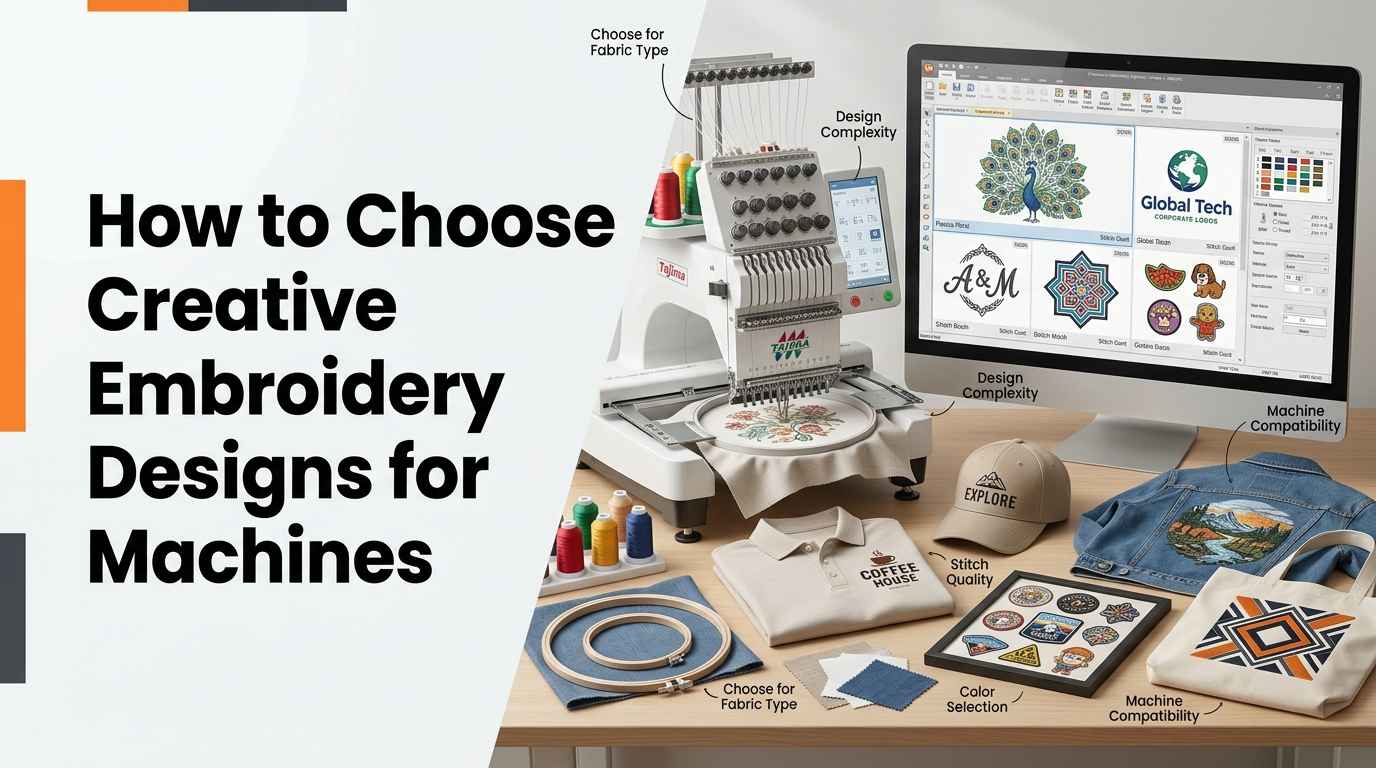
Choosing the right embroidery design is an important part of producing high-quality machine embroidery. The design you select affects the final appearance, stitch quality, production time, and suitability of the finished product. Whether you are decorating shirts, personalizing gifts, creating business logos, or making embroidered patches, the right pattern can help you achieve better results.
Creative embroidery designs for machines are available in many styles, including floral patterns, monograms, decorative borders, cartoon characters, and business logos. However, not every design works equally well on every fabric or embroidery machine. Factors such as hoop size, stitch density, thread selection, fabric type, and file compatibility should be considered before starting a project.
This guide explains how to choose suitable machine embroidery designs, evaluate their quality, and prepare them for different applications.
Understand Your Embroidery Project Requirements
Before selecting an embroidery design, determine what you want to create and how the finished item will be used. A pattern intended for a decorative cushion may have different requirements from a company logo stitched on a uniform.
For personal projects, you may prioritize artistic details, colors, and customization. Commercial embroidery often requires consistent results, readable lettering, manageable production time, and designs that work reliably across multiple garments.
Consider the following factors before choosing a design:
-
Purpose: Decide whether the design is for clothing, home décor, accessories, gifts, or business branding.
-
Fabric: Identify the material's thickness, stretch, texture, and stability.
-
Design size: Make sure the artwork fits the available embroidery area.
-
Complexity: Choose a level of detail that can be reproduced clearly with thread.
-
Machine compatibility: Confirm that your machine supports the file format and hoop dimensions.
Evaluating these requirements first makes it easier to narrow down suitable designs and avoid unnecessary adjustments.
Choose Creative Embroidery Designs Based on Fabric Type
Fabric plays a major role in embroidery quality. Different materials respond differently to needle penetration, thread tension, and stitch density. A design that works well on stable cotton may require adjustments for stretch fabric, fleece, or towels.
1. Embroidery Designs for Cotton Shirts
Cotton shirts are suitable for many machine embroidery projects because the fabric is generally stable and available in different weights. Small logos, initials, floral motifs, and decorative symbols are common choices.
For lightweight cotton, avoid designs with excessive stitch density because they can cause puckering or make the embroidered area stiff. Use suitable stabilizer support to reduce fabric movement during stitching.
Before embroidering a finished shirt, test the design on a similar piece of material. This helps you determine whether the selected pattern provides adequate coverage without damaging the fabric.
2. Embroidery Designs for Caps and Hats
Caps have curved surfaces and limited embroidery areas, making design selection especially important. Large details, tiny lettering, and narrow spaces may not reproduce clearly on the front panel.
Choose compact logos, bold lettering, simple symbols, or geometric patterns that remain recognizable at a small size. Cap embroidery may also require specialized digitizing because the curved surface and fabric movement affect how stitches form.
Check the cap's construction, seam position, and available embroidery area before selecting the final design.
3. Embroidery Designs for Jackets
Jackets provide space for larger patterns, including team logos, company branding, decorative artwork, and personalized names. Denim jackets and workwear can support a variety of designs, although thick seams and layered materials require careful handling.
For large jacket-back designs, review the stitch count, dimensions, and total coverage. Excessive density can create a heavy, stiff embroidered area, while very fine details may become difficult to reproduce at a distance.
Choose a pattern that suits the jacket's material and intended use. Clothing that needs flexibility and comfort may require a lighter design than a decorative piece.
4. Embroidery Designs for Towels
Towels have a textured surface that can hide fine stitches, particularly small lettering and delicate outlines. Designs with clear shapes, suitable coverage, and readable text are often more practical.
A water-soluble topping can help keep the towel pile from interfering with the stitches. The correct backing stabilizer also depends on the towel's thickness and the embroidery design.
Test the design on a similar towel before production to check lettering clarity, coverage, and overall appearance.
Select the Right Embroidery Design Style
The style of your design should match the product and the effect you want to achieve. Creative embroidery patterns range from simple decorative elements to detailed artwork and custom branding.
Floral and Nature-Inspired Designs
Floral patterns, leaves, butterflies, and botanical illustrations are popular for clothing, cushions, bags, and personalized gifts. Simple flowers can work well on smaller items, while more detailed arrangements may suit larger embroidery areas.
When selecting a floral design, consider the number of small elements and the amount of thread required. Too many closely spaced details can make the finished embroidery appear crowded.
Monograms and Lettering Designs
Monograms and personalized lettering are useful for towels, shirts, bags, uniforms, and gifts. Their quality depends on font selection, letter height, spacing, and stitch construction.
Choose embroidery fonts designed for the intended size. Thin lines and small enclosed spaces can become difficult to reproduce accurately after stitching.
For business or customer projects, check spelling, capitalization, and placement before running the machine.
Cartoon and Character Designs
Cartoon characters and simple animal patterns are suitable for children's clothing, school bags, blankets, and decorative accessories. Designs with clear outlines and distinct color areas are generally easier to reproduce than those containing many tiny details.
Make sure the design dimensions are appropriate for the product. A character that looks clear on a large blanket may lose important features when reduced to a small shirt pocket.
Business Logo Designs
Business logos are commonly used on uniforms, caps, jackets, promotional products, and workwear. A suitable embroidery logo should remain recognizable after being converted into stitches.
Some elements of a standard logo may need simplification. Gradients, narrow lines, small text, and closely spaced shapes can be difficult to reproduce with thread.
Professional digitizing helps adapt the artwork to embroidery requirements by adjusting stitch types, density, direction, underlay, and sequencing.
Check Machine Compatibility and Embroidery File Formats
A design must be compatible with your embroidery machine before it can be stitched. File compatibility involves both the format and the technical requirements of the pattern.
Common machine embroidery formats include DST, PES, JEF, EXP, and VP3. The correct format depends on your machine's manufacturer and model.
Before purchasing or downloading a design, confirm that the file opens correctly in your machine's software and fits within the available embroidery field. Some designs may require conversion or additional preparation before use.
Keep in mind that converting a file into a supported format does not automatically improve its stitch quality. The underlying stitch instructions must also be appropriate for the fabric, design dimensions, and intended application.
Consider Hoop Size and Design Dimensions
Hoop size determines the embroidery area available during a single setup. If a design is larger than the available field, you may need to resize it, split it into sections, or choose another pattern.
However, resizing is not always straightforward. Reducing a complex design can make small lettering and narrow gaps unreadable. Enlarging a pattern without reviewing its stitch structure can also create unsuitable spacing or excessive stitch coverage.
Measure the intended placement area before choosing a design. Leave enough space around the artwork to position it correctly without interfering with garment seams, pockets, or other construction details.
For commercial projects, check the design dimensions before accepting an order to make sure the requested size is practical for the available equipment.
Evaluate Stitch Density and Design Quality
Stitch density refers to how closely stitches are placed within an embroidered area. Appropriate density helps provide coverage while maintaining flexibility and reducing unnecessary thread buildup.
Excessive density may cause puckering, thread breaks, needle stress, and stiff fabric. Insufficient density can leave gaps or allow the underlying material to show through.
A quality embroidery design should use suitable stitch types and directions for each part of the artwork. Running stitches, satin stitches, and fill stitches serve different purposes, so their selection should reflect the shape and size of each element.
When reviewing a design, look for clean outlines, sensible stitch sequencing, adequate coverage, and details that remain clear at the intended size. The total stitch count should also be reasonable for the design's dimensions and level of complexity.
Choose Appropriate Thread Colors
Thread colors affect the readability, style, and overall appearance of machine embroidery. The best combination depends on the fabric color, design purpose, and intended result.
For business logos, use colors that match the approved branding as closely as practical. Strong contrast can improve the visibility of lettering and small symbols.
For decorative projects, you have more flexibility to combine complementary colors or create layered effects. However, unnecessary color changes can increase production time.
Also consider the thread type. Polyester thread is widely used for apparel and commercial embroidery because of its durability and color retention. Rayon thread may be suitable for decorative applications where its finish and care requirements meet the project's needs.
Always follow the thread manufacturer's recommendations and test the selected colors on the intended fabric.
Decide Whether You Need Professional Embroidery Digitizing
Digitizing converts artwork into stitch instructions that an embroidery machine can read. This process requires decisions about stitch types, underlay, direction, density, compensation, and the order in which design elements are sewn.
A picture file is not automatically a machine-ready embroidery design. It generally needs to be digitized before the machine can reproduce it as stitches.
Professional digitizing can be especially useful for detailed logos, small lettering, cap designs, patches, and large jacket-back patterns. A digitizer can simplify unsuitable details and adapt the stitch structure to the intended material and design dimensions.
For simple projects, a well-prepared ready-made design may be sufficient. For customized branding or complex artwork, a professionally digitized file can reduce the need for repeated corrections.
Remember that digitizing is only one part of the process. Proper hooping, stabilizer selection, thread tension, needle choice, and machine maintenance also affect the finished result.
Test the Embroidery Design Before Final Production
A test stitch-out helps you evaluate how the design performs on fabric. This is particularly important when using a new pattern, changing materials, or preparing an order for a customer.
Use a sample fabric similar to the final product, along with the intended stabilizer and thread. After stitching, inspect the result for gaps, uneven outlines, loose threads, puckering, and unreadable lettering.
If the design does not perform well, check whether the problem comes from the file, machine settings, hooping, or material selection. Make the necessary adjustments before embroidering the final garment.
Testing can save time and materials, especially when producing multiple items with the same design.
Common Mistakes to Avoid When Choosing Embroidery Designs
Selecting a design based only on its screen preview is a common mistake. Digital artwork does not fully show how stitches will interact with the fabric, and small details may become unclear after embroidery.
Ignoring fabric characteristics can also lead to poor results. Stretch garments, towels, caps, and heavy jackets require different levels of support and may need different stitch structures.
Another mistake is choosing a pattern that exceeds the machine's hoop dimensions or contains more detail than the intended size can support. Always check compatibility and review the design before production.
Finally, avoid assuming that a higher stitch count automatically means better quality. A well-digitized design uses stitches efficiently and provides the required coverage without unnecessary density.
Conclusion
Choosing creative embroidery designs for machines requires careful consideration of fabric type, design style, hoop size, file compatibility, stitch density, and the purpose of the finished item. Floral patterns and monograms may suit personal projects, while logos, cap designs, and jacket-back artwork often require more specific preparation.
Review the design at its intended size, use appropriate stabilizer and thread, and test the file before final production. For complex artwork and business branding, professional digitizing can help prepare machine-ready files that suit the intended application.
For embroidery digitizing information and related services, visit zdigitizing.net. Careful design selection and proper preparation can help you achieve consistent results across personal, decorative, and commercial embroidery projects.
FAQs
Q1. How do I choose creative embroidery designs for machines?
Consider the fabric, machine compatibility, hoop size, design complexity, and intended use. Select a pattern that can reproduce its important details clearly at the final size.
Q2. Which embroidery designs are best for beginners?
Simple flowers, initials, geometric patterns, and small animal designs are good starting options. They help beginners practice machine operation, hooping, and stabilizer selection.
Q3. What file formats are used for machine embroidery designs?
Common formats include DST, PES, JEF, EXP, and VP3. Check your embroidery machine's manual to confirm which formats it supports.
Q4. How can I choose the right design for different fabrics?
Consider the fabric's thickness, stretch, texture, and stability. Lightweight garments may need less dense designs, while towels may require suitable coverage and a water-soluble topping.
Q5. Why is stitch density important in machine embroidery?
Stitch density affects coverage, flexibility, and fabric stability. Excessive density can cause puckering and stiffness, while insufficient density can leave visible gaps.
Q6. Do I need professional digitizing for embroidery logos?
Professional digitizing is helpful for detailed logos, small lettering, caps, patches, and large designs. It adapts artwork into stitch instructions suited to the intended application.
Q7. Can I use one embroidery design for multiple products?
Sometimes, but adjustments may be necessary. Different products can require changes to design size, stitch density, stabilizer, and placement.
Q8. Why should I test an embroidery design before production?
Testing helps identify problems with stitch coverage, lettering, registration, thread tension, and fabric distortion before you use the final garment or produce multiple items.