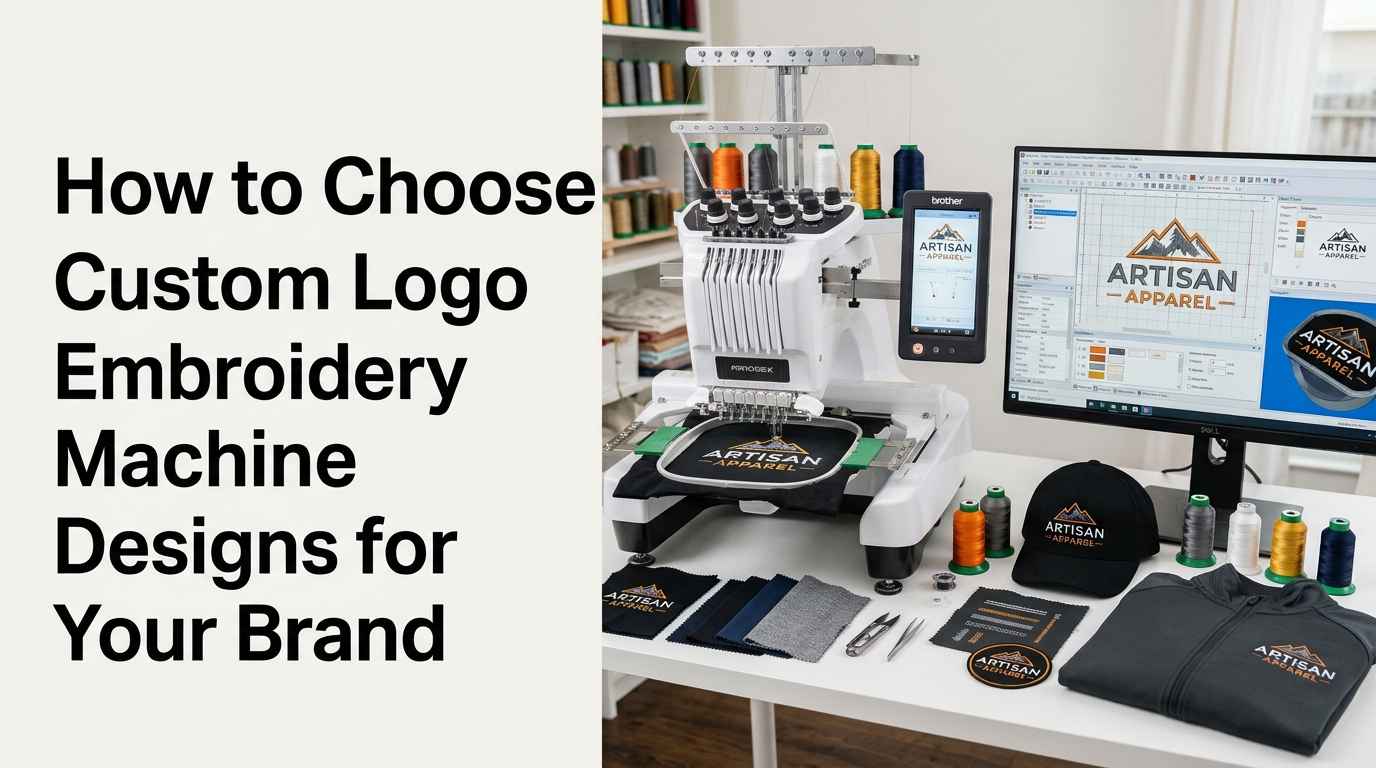
Custom logo embroidery machine designs help businesses turn their logos into stitched branding for uniforms, caps, jackets, shirts, bags, and promotional products. However, a logo that looks excellent on a computer screen may not produce the same result when embroidered. Thread thickness, stitch direction, fabric type, design size, and machine settings all affect the final appearance.
High-quality custom logo embroidery machine designs are created with these practical requirements in mind. They use suitable stitch types, balanced density, clean outlines, and appropriate underlay to help embroidery machines reproduce the artwork accurately. Understanding these elements makes it easier for businesses, embroidery shops, and beginners to select or prepare designs that produce consistent results.
In this guide, you will learn what defines a quality embroidery design, which technical features matter most, how to evaluate a digitized logo, and what to check before sending a file to an embroidery machine.
What Are Custom Logo Embroidery Machine Designs?
Custom logo embroidery machine designs are digital stitch instructions created from logo artwork. Unlike a standard image file, an embroidery machine file contains information about stitch placement, stitch sequence, direction, and other machine-readable details.
A logo may begin as a JPG, PNG, PDF, AI, or vector artwork file. A digitizer then converts the artwork into embroidery instructions using specialized software. During this process, the digitizer decides how different shapes, letters, borders, and small details should be stitched.
The final result depends on more than the original artwork. Even a simple logo requires careful planning to account for fabric movement, thread behavior, and the limitations of embroidery equipment.
Artwork Files and Embroidery Files Are Different
An artwork file displays the logo as pixels or vector shapes. An embroidery machine file contains the stitch data required to reproduce the design with thread.
For example, a PNG image may show a thin curved line clearly on a monitor. When embroidered, that line might become too narrow to sew reliably. A skilled digitizer adjusts its width and stitch structure to make it suitable for the selected fabric and finished size.
Common embroidery machine formats include DST, PES, EXP, JEF, and VP3. Compatibility depends on the machine manufacturer and model, so the correct format should be confirmed before ordering.
1. Accurate Stitch Placement and Structure
Accurate stitch placement is one of the most important features of a high-quality custom logo embroidery machine design. Every stitch should contribute to the intended shape, lettering, or texture without creating unnecessary bulk.
Poor stitch placement can lead to uneven edges, gaps between shapes, distorted letters, or excessive thread buildup. These issues may become more noticeable when the logo is stitched at a small size.
Professional digitizing involves planning how each object will be sewn and how adjacent elements will connect. It also requires selecting suitable stitch lengths and directions for the design's dimensions.
Why Stitch Direction Matters
Stitch direction affects texture, light reflection, coverage, and the way fabric responds during sewing. For example, changing the direction of fill stitches can help distinguish one section of a logo from another, even when both sections use the same thread color.
Direction also influences how stitches interact with the fabric. A well-planned design considers pull and push effects, which can cause shapes to change slightly as thread is added.
The goal is to produce a logo that maintains its intended proportions after stitching, rather than relying only on its appearance in digitizing software.
2. Balanced Stitch Density
Stitch density refers to how closely stitches are placed together within an embroidered area. The correct density provides suitable coverage without adding unnecessary thread or stiffness.
If density is too low, the base fabric may show through areas that should appear filled. If density is too high, the design may become bulky, stiff, or difficult to sew. Excessive density can also increase thread breaks and needle stress.
There is no single density setting that works for every logo. The appropriate value depends on factors such as fabric type, thread weight, needle size, stitch type, and design dimensions.
How to Recognize Suitable Density
A well-digitized design should provide appropriate coverage for its intended material. Filled areas should look reasonably consistent, while outlines and smaller elements should retain their intended shapes.
When reviewing a sample, check whether the thread coverage is even and whether the fabric has puckered around heavily stitched sections. These signs can indicate that the design or embroidery setup needs adjustment.
A test stitch-out is especially useful for complex logos, small lettering, and designs intended for stretchy or lightweight fabrics.
3. Appropriate Stitch Types for Different Logo Elements
High-quality custom logo embroidery machine designs use stitch types according to the shape, size, and purpose of each element. Using one stitch type throughout a logo may create unnecessary problems.
The three commonly used stitch categories are satin stitches, fill stitches, and running stitches.
Satin Stitches for Text and Narrow Shapes
Satin stitches are frequently used for lettering, borders, and narrow decorative shapes. They can create a smooth, slightly raised appearance when the width and stitch length are appropriate.
However, satin columns that are too wide or too narrow may not sew reliably. Digitizers sometimes divide wider areas into separate sections or use a different stitch structure when needed.
Fill Stitches for Larger Areas
Fill stitches cover broader shapes, including backgrounds, large letters, and solid logo sections. Their direction and spacing affect the texture and final coverage.
A quality design uses fill patterns suited to the shape and fabric. It also avoids unnecessary overlapping stitches that could make the finished logo excessively dense.
Running Stitches for Fine Lines
Running stitches are useful for fine outlines, small details, and lightweight line work. They can reproduce details that do not require the coverage of satin or fill stitches.
Very fine lines may need to be widened or simplified for embroidery. The digitizer must balance visual accuracy with what the machine can sew consistently.
4. Clear and Readable Logo Text
Text is often one of the most challenging parts of custom logo embroidery machine designs. Small letters, narrow gaps, thin strokes, and tightly spaced words can become difficult to read after stitching.
A font that looks attractive in print does not always translate well to embroidery. Some fonts contain delicate serifs, narrow openings, or thin strokes that are difficult to reproduce with thread.
Choosing Suitable Lettering
For embroidered logos, lettering should be selected according to the final size, fabric, and viewing distance. Simple letterforms often remain clearer on caps, workwear, and small chest logos.
The digitizer may need to adjust letter spacing, stitch direction, column width, or the size of individual characters. These changes help preserve readability without unnecessarily changing the brand's visual identity.
Why Small Text Needs Special Attention
Small text has less room for individual stitches. Counters inside letters such as “a,” “e,” and “o” may close up if the design is too dense or the lettering is too small.
Before production, review the actual stitched text at its intended dimensions. A digital preview alone cannot confirm that every character will remain readable on the selected material.
5. Suitable Underlay and Fabric Compensation
Underlay consists of supporting stitches placed beneath the visible top stitches. It helps stabilize the fabric and provides a foundation for the design's main stitching.
The appropriate underlay depends on the fabric, object shape, stitch type, and finished size. A design intended for a stable woven shirt may require different preparation from one intended for a stretchy polo or a structured cap.
The Role of Pull Compensation
During embroidery, stitches can pull fabric inward or cause certain shapes to appear narrower than expected. Pull compensation adjusts selected dimensions to account for this behavior.
For example, a digitizer may slightly extend a shape or adjust a letter's width to help it retain the intended appearance after sewing. The required adjustment depends on the material and embroidery conditions.
Underlay and pull compensation should be applied thoughtfully. Too little support may cause gaps or distortion, while unsuitable settings can create excess bulk or unwanted outlines.
6. Clean Outlines and Well-Connected Shapes
Logo outlines help define shapes and separate colors. If borders are poorly digitized, they may appear uneven, overlap surrounding sections incorrectly, or leave gaps after stitching.
High-quality designs use suitable stitch types and carefully planned outlines. Their borders should follow the artwork while accounting for fabric movement and stitch thickness.
Avoiding Gaps Between Objects
When two sections meet, the digitizer must consider how the fabric may shift as each section is sewn. If adjacent objects are not planned properly, small gaps can appear between them.
In some designs, slight overlap between sections helps maintain coverage. However, too much overlap may produce raised areas or excess thread. The correct approach depends on the logo's structure and the material being embroidered.
A test sample helps reveal whether the outlines and adjoining shapes connect as intended.
7. Efficient Stitch Sequencing
Stitch sequencing determines the order in which different elements of a logo are embroidered. A sensible sequence can reduce unnecessary movement, limit thread changes, and help keep the design organized.
For instance, a design may require background areas to be sewn before foreground details. Smaller elements and outlines may be placed later when doing so supports clean coverage and the intended visual result.
The exact sequence depends on the design, color arrangement, machine, and production method.
Why Excessive Trims and Color Changes Matter
Unnecessary thread trims and color changes can increase production time. Poor sequencing may also create loose threads or make the design harder to manage during embroidery.
A carefully digitized file balances production efficiency with stitch quality. Reducing machine movements should never come at the expense of correct coverage or clear details.
8. Appropriate Design Size and Placement
A high-quality embroidery file must be suitable for the intended product. A detailed logo prepared for a large jacket back may not work well when reduced to a small cap logo.
Reducing a design makes its letters, gaps, borders, and decorative elements smaller. Increasing the design size may require changes to stitch structure and density rather than simple scaling.
Match the Logo to the Product
Before digitizing, confirm where the logo will be embroidered and how large it should appear. Common applications include:
-
Left-chest logos on shirts and uniforms
-
Front panels of structured caps
-
Jacket backs and sleeves
-
Tote bags and backpacks
-
Custom patches and promotional products
Each application presents different challenges. Caps have curved surfaces and limited space, while stretchy garments may require additional stabilization. Large jacket-back designs need careful attention to coverage, thread buildup, and fabric movement.
The intended placement should be confirmed before the final file is prepared.
9. Correct Thread Colors and Color Transitions
Thread colors help maintain brand consistency, but screen colors and actual embroidery thread rarely match perfectly. Lighting, thread material, fabric color, and thread sheen can all affect the finished appearance.
A professional digitizer should follow the supplied brand color references where possible and choose practical thread equivalents from the available thread range.
Managing Color Sections
When a logo contains several colors, the design should define clear boundaries between them. Poor transitions may create gaps, overlapping sections, or visible fabric between color blocks.
Some artwork also contains gradients and shadows. Since embroidery uses physical thread colors rather than continuous digital shading, these effects may need to be simplified or represented through carefully selected color changes and stitch patterns.
For brand-critical projects, request a sample on the intended fabric and compare it under normal viewing conditions.
10. Compatibility With the Embroidery Machine
A design can be digitized carefully and still fail to load if it is saved in an unsupported file format. High-quality delivery includes confirming that the file matches the intended machine's requirements.
DST, PES, EXP, JEF, and VP3 are examples of common embroidery formats. They are not interchangeable in every machine or workflow.
Check the File Before Production
Before ordering or transferring the file, confirm:
-
The embroidery machine brand and model
-
The supported file format
-
The design's final width and height
-
The expected stitch count and color sequence
-
Whether the machine requires any additional setup information
Some formats preserve different amounts of design information. Confirm compatibility with the machine's manual or software instead of assuming that any embroidery file will work.
The digitizing provider should also supply a preview or stitch information when available, making it easier to verify the design before production.
11. A Proper Test Stitch-Out
A test stitch-out is one of the most reliable ways to evaluate custom logo embroidery machine designs. It shows how the file behaves with actual thread, fabric, stabilizer, needle, and machine settings.
A design preview can help identify obvious layout issues, but it cannot fully reproduce fabric stretch, thread tension, puckering, or the effect of real stitching.
What to Inspect in a Sample
Review the stitched logo for:
-
Letter clarity and spacing
-
Even coverage in filled areas
-
Clean outlines and color boundaries
-
Unwanted gaps or fabric show-through
-
Puckering, excessive stiffness, or thread buildup
-
Thread breaks, loose ends, and unnecessary trims
If the sample reveals problems, identify whether the cause is the digitized file, the fabric, the stabilizer, the thread tension, or another machine setting. Adjustments may be needed in more than one area.
For bulk orders, testing the design before production can reduce wasted materials and help maintain consistency across garments.
12. How to Evaluate a Custom Logo Embroidery Digitizing Service
Choosing a digitizing provider is an important part of obtaining a reliable embroidery file. A low price or fast turnaround alone does not establish that the design will sew correctly.
Look for a provider that asks about the intended fabric, design dimensions, machine format, and final application. These details help the digitizer prepare a file that fits the actual project.
Review Relevant Samples
Ask to see examples of similar work, especially if your logo contains small text, fine outlines, multiple colors, or detailed shapes. Samples from comparable products are more useful than artwork that has been prepared for a different size or material.
Check whether the provider can explain the stitch structure, file format, and any changes required to make the artwork suitable for embroidery.
Confirm Revisions and Delivery Details
Before placing an order, clarify what the service includes. Ask whether minor revisions are available if a test stitch-out reveals issues, which file formats will be delivered, and whether the final dimensions will match your requirements.
Providing clear artwork, accurate size information, fabric details, and a reference image can help reduce misunderstandings and unnecessary revisions.
Common Problems That Reduce Embroidery Logo Quality
Even when the original logo looks professional, several digitizing or production issues can affect the finished result.
Excessive Stitch Density
Too many stitches in a small area can make the design stiff, bulky, or difficult to sew. The digitizer may need to reduce unnecessary overlaps or revise the stitch structure.
Text That Is Too Small
Small lettering can become difficult to read when its strokes and internal spaces cannot accommodate the required stitches. Increasing the text size or simplifying the lettering may improve the result.
Incorrect Fabric Preparation
A suitable embroidery file still requires appropriate stabilizer, hooping, needle, and thread tension. Poor fabric preparation can cause puckering and distortion even when the digitizing is sound.
Using One File for Every Size
A logo that works well on a jacket may lose clarity when scaled down for a cap. Different applications may require separate digitizing adjustments rather than simple resizing.
Skipping Sample Testing
Moving directly to bulk production without testing can allow avoidable problems to affect an entire order. A sample helps identify issues before more materials and production time are committed.
Conclusion
High-quality custom logo embroidery machine designs combine accurate stitch placement, suitable density, readable lettering, proper underlay, clean outlines, efficient sequencing, and compatibility with the intended machine. The best results also depend on matching the design to the fabric, placement, thread, and finished dimensions.
Before approving a file, review its technical details and test it on the material that will be used for production. If your logo includes small text, complex shapes, or several colors, professional digitizing can help prepare the artwork for more consistent stitching. For businesses seeking dependable embroidery digitizing support, zdigitizing.net is an option to review when comparing services, file delivery, and project requirements.
Frequently Asked Questions
Q1. What makes a custom logo embroidery machine design high quality?
A high-quality design has suitable stitch types, balanced density, readable text, clean outlines, proper underlay, and a stitch sequence suited to the fabric and machine. A test stitch-out helps verify the final result.
Q2. Which file format is best for custom logo embroidery machine designs?
There is no single format that works for every machine. DST, PES, EXP, JEF, and VP3 are common options, but you should confirm the format supported by your specific embroidery machine.
Q3. Can any logo be converted into an embroidery machine design?
Most logos can be adapted, but some require simplification. Fine lines, gradients, tiny lettering, and complex details may need changes to work reliably with thread.
Q4. Why does my embroidered logo look different from the digital preview?
Fabric movement, thread thickness, stitch density, stabilizer, tension, and design size can affect the stitched result. A digital preview cannot fully represent all these factors.
Q5. How can I make small logo text easier to read?
Use suitable lettering, adequate character spacing, appropriate stitch density, and a practical finished size. A sample stitch-out helps confirm whether the text remains legible.
Q6. Does a higher stitch count always mean better embroidery quality?
No. A higher stitch count does not automatically produce a better result. Excessive stitching can create bulk, stiffness, and thread breaks. The stitch count should suit the design, fabric, and required coverage.
Q7. Should I test an embroidery logo before a bulk order?
Yes. Testing helps identify gaps, puckering, unclear lettering, thread buildup, and other problems before production begins. Use the intended fabric and suitable machine settings for a meaningful evaluation.
Q8. Can one embroidery file work on shirts, caps, and jackets?
Sometimes, but not always. Different products have different shapes, fabrics, and size requirements. Some logos need separate versions or adjustments to achieve reliable results on each item.