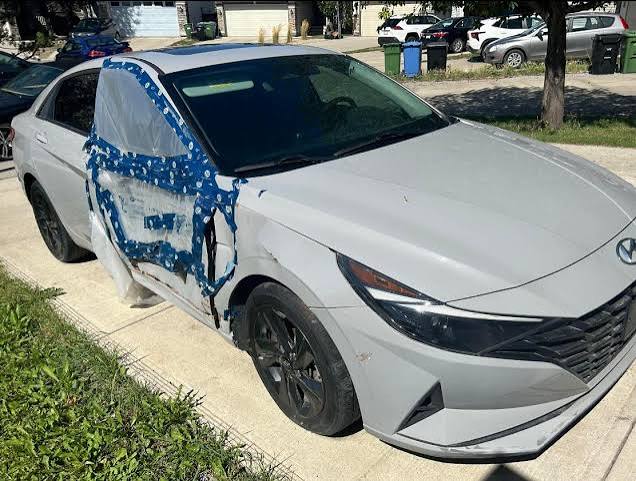
Scrapping a modern car involves more than removing licence plates and emptying the glove box. Today’s vehicles can store phone contacts, call records, saved addresses, account details, access codes, and driving information. Even a damaged or non running car may still contain readable personal data.
Many owners assume a scrapyard will automatically erase everything. That is a risky assumption. A vehicle may be dismantled, resold for parts, repaired, exported, or sent to an auction before it is crushed. Its infotainment unit could remain functional throughout that process.
Before handing over your car, treat it like an old smartphone. Remove your information, disconnect online services, and confirm that no account still gives you or someone else remote access.
What Personal Information Can a Modern Car Store?
Modern vehicles use computers for navigation, entertainment, safety, diagnostics, and connected services. Each system can collect or save different information.
Depending on the model, your vehicle may contain:
- Paired phone names and device details
- Contact lists
- Recent calls and text messages
- Home and work addresses
- Navigation history
- Favourite destinations
- WiFi names and passwords
- Voice recordings or commands
- Driver profiles
- Email or calendar information
- Garage door access codes
- App login details
- Music and media accounts
- Vehicle location information
The Federal Trade Commission warns that cars can store mobile phone contacts, call logs, text messages, locations entered into navigation systems, garage access information, and subscription details. It recommends clearing this data before selling, donating, or transferring a vehicle.
The danger is not limited to visible information. Someone who accesses your saved home address and garage control may learn where you live and potentially gain access to your property.
Does Scrapping a Car Automatically Delete Its Data?
No. Scrapping a car does not automatically erase the information stored inside it.
A scrap car buyer normally focuses on ownership documents, towing, reusable parts, fluids, metal, batteries, and environmentally safe disposal. Data deletion may not form part of the standard vehicle removal process.
Your car may also take several routes after collection. A buyer might dismantle it for parts, sell it to another recycler, send it to an auction, or repair it when restoration remains possible.
Components such as infotainment screens, navigation modules, telematics units, and media systems can have resale value. If one of those parts is removed while your information remains stored inside, the data may leave the vehicle with it.
That does not mean every scrap vehicle creates an immediate privacy breach. It means owners should take responsibility for removing accessible information before collection.
Can Someone Recover Data From a Damaged Car?
Possibly. Physical vehicle damage does not always destroy digital storage.
A car may have a failed engine, damaged transmission, collision damage, flood exposure, or severe body rust while its infotainment system still works. Even when the screen is broken, internal modules may retain stored information.
Some data may also exist outside the physical car. Connected vehicle services can store information through a manufacturer account, mobile app, cellular connection, or cloud based platform.
For example, Toyota explains that owners can cancel connected services to disable vehicle data transmission, including access to vehicle location. This shows why wiping the dashboard alone may not fully end the digital connection.
You should therefore address both sides of the problem:
- Information stored inside the car
- Information connected through external accounts and apps
How Do You Wipe the Infotainment System?
Start by turning on the vehicle or connecting a safe power supply if the battery is weak. Open the infotainment settings and look for an option labelled:
- Factory reset
- Master reset
- Delete personal data
- Restore default settings
- Erase all profiles
- Reset system
The wording differs between brands and model years. Check the owner’s manual or manufacturer support page when you cannot locate the correct setting.
Before completing the reset, manually inspect the system. Remove paired devices, saved contacts, navigation destinations, messages, driver profiles, and connected accounts.
A factory reset is an important step, but it may not handle everything. The FTC notes that owners may still need to cancel or transfer subscriptions for satellite radio, mobile hotspots, and other data services after resetting the vehicle.
After the reset, restart the infotainment system. Check whether your phone, address, profile, and recent destinations still appear. Do not assume the reset succeeded without verifying it.
What Should You Remove From the Navigation System?
Navigation systems deserve special attention because they often contain highly sensitive location information.
Delete:
- Your home address
- Your workplace
- Family members’ homes
- Schools and childcare locations
- Medical offices
- Frequently visited businesses
- Recent destinations
- Favourite routes
- Search history
Do not simply rename your home address. Delete the stored location completely.
A stranger who finds several saved destinations may identify your routines, working hours, relatives, and usual travel patterns. Privacy4Cars lists navigation history, home addresses, user profiles, phonebooks, messages, passwords, and garage codes among the types of information commonly left in vehicles.
How Do You Disconnect Your Phone Properly?
Deleting the car from your phone’s Bluetooth list is not enough. That action only removes the connection from your phone. The vehicle may still retain the device name, contacts, calls, and messages it previously downloaded.
Use the vehicle’s settings to delete every paired phone. Do this for family members, employees, previous drivers, and temporary users.
Next, open your phone and remove the vehicle from:
- Bluetooth settings
- Android Auto
- Apple CarPlay
- Manufacturer apps
- Digital key services
- Mobile hotspot settings
Also remove any USB drives, SD cards, CDs, dashcam memory cards, toll devices, or aftermarket tracking equipment.
These small items are easy to forget when the vehicle is being collected quickly.
What Happens to Connected Car Apps?
Connected car apps can remain active after the physical vehicle is gone. Depending on the brand and subscription, an app may provide access to location, lock status, charging data, maintenance information, or remote controls.
Log in to the manufacturer’s app and remove the vehicle from your account. Cancel paid subscriptions and disable remote services. Also remove other authorized drivers.
Toyota, for example, states that removing a vehicle from its app can cancel active trials and deactivate associated connected features.
The exact process varies. Some manufacturers allow app based removal, while others may require a support call or dealership assistance.
Take screenshots or save confirmation emails after cancelling services. These records can help if the vehicle remains visible in your account later.
Do Garage Door Buttons Store Personal Information?
Integrated garage door controls may not display your address, but they can create a serious security concern.
A programmed button could operate your home garage door if the module is reused or the vehicle is sold rather than destroyed. Clear every programmed garage, gate, parking barrier, and building access code.
Follow the instructions in the car’s owner’s manual. You may also reset the garage door opener itself and reprogram the remotes you plan to keep.
Do not leave physical garage remotes, building fobs, workplace passes, or spare house keys inside the car.
What If the Car Will Not Turn On?
A dead or heavily damaged vehicle makes data removal harder, but you still have options.
First, ask a qualified mechanic whether the vehicle can receive temporary power safely. A booster pack or replacement battery may allow the infotainment system to start long enough for a reset.
Do not connect power to a flooded, burned, or severely damaged electrical system without professional guidance.
When the system cannot be accessed:
- Remove the vehicle from connected apps
- Cancel manufacturer services
- Change passwords for linked accounts
- Reset garage and gate codes
- Remove media cards and storage devices
- Ask whether the infotainment module can be removed
- Inform the scrap buyer that the system contains personal data
You may also contact the manufacturer or a dealership for model specific support. Consumer Reports recommends checking official manufacturer instructions or seeking dealership assistance when general deletion steps do not work.
Should You Trust the Scrap Buyer to Wipe the Data?
A reputable scrap car buyer may help, but you should not rely entirely on verbal promises.
Ask direct questions before accepting the offer:
- Do you erase infotainment systems?
- Will the car be crushed or resold?
- Could its electronic modules be sold as parts?
- Can I remove the infotainment unit first?
- Will you confirm data destruction in writing?
- Can I inspect the reset before towing?
The buyer may not know the full data wiping process for every make and model. That is why owners should complete as much deletion as possible before pickup.
Also remove paperwork from the vehicle. Old registration slips, insurance documents, repair invoices, parking permits, and receipts may reveal your name, address, phone number, or payment details.
Your Pre Scrapping Data Checklist
Before your modern vehicle leaves your property, complete these steps:
- Remove all personal belongings and documents.
- Delete paired phones and downloaded contacts.
- Clear calls, messages, and navigation history.
- Delete driver profiles and digital keys.
- Sign out of music, email, and app accounts.
- Perform a factory or master reset.
- Remove USB drives, SD cards, and dashcam storage.
- Clear garage door and gate codes.
- Remove the car from manufacturer apps.
- Cancel connected services and subscriptions.
- Change passwords for important linked accounts.
- Verify that the reset removed your information.
Protect Your Identity Before the Tow Truck Arrives
A scrap car may look like nothing more than damaged metal, but its electronic systems can tell a detailed story about its owner. They may reveal where you live, whom you call, where you travel, and which devices or accounts you use.
Deleting this information takes less effort than dealing with a privacy breach later. Reset the vehicle, disconnect your phone, cancel connected services, clear access codes, and remove every document.
The safest rule is simple: do not hand over a modern vehicle until you have treated its digital system with the same care as an old phone or computer. Once the tow truck leaves, you may never know where the car or its electronic parts go next.